Software with username and password
ERP, panels, RDP, routers, hosting and vertical apps: the daily reality for most organisations.

 IrKeys
The IrKeys dongle types username, password, OTP and scripts on the computer as a USB keyboard. The Android app is free (the interface that sends to the dongle). If you need to distribute keys locally, add IrKeys Manager. Your secrets stay on your devices, not in the cloud; Internet is not required to use them.
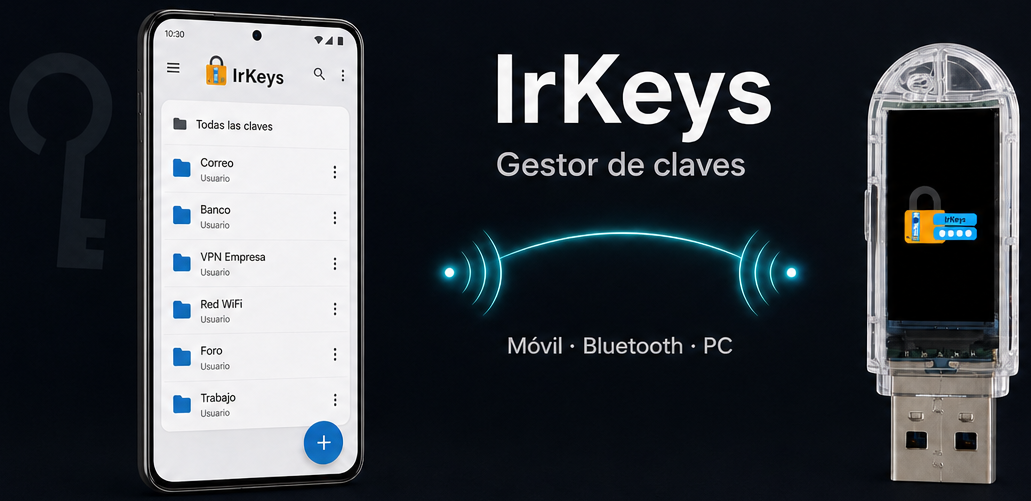
The challenge
In most SMEs, day-to-day software still asks for a username and password. For convenience, secrets tend to stay easy to remember, get reused or shared across workstations, and are rotated infrequently. IrKeys lets you use strong secrets and change them when needed: the dongle types them on the PC, so the user does not have to memorise or enter them by hand.
Audience
Freelancers and SMEs whose everyday software still uses username, password, OTP and scripts — without depending on a cloud or a full FIDO2/WebAuthn rollout.
ERP, panels, RDP, routers, hosting and vertical apps: the daily reality for most organisations.
You can enforce long passwords and rotate them: the user does not type them; the dongle types for them.
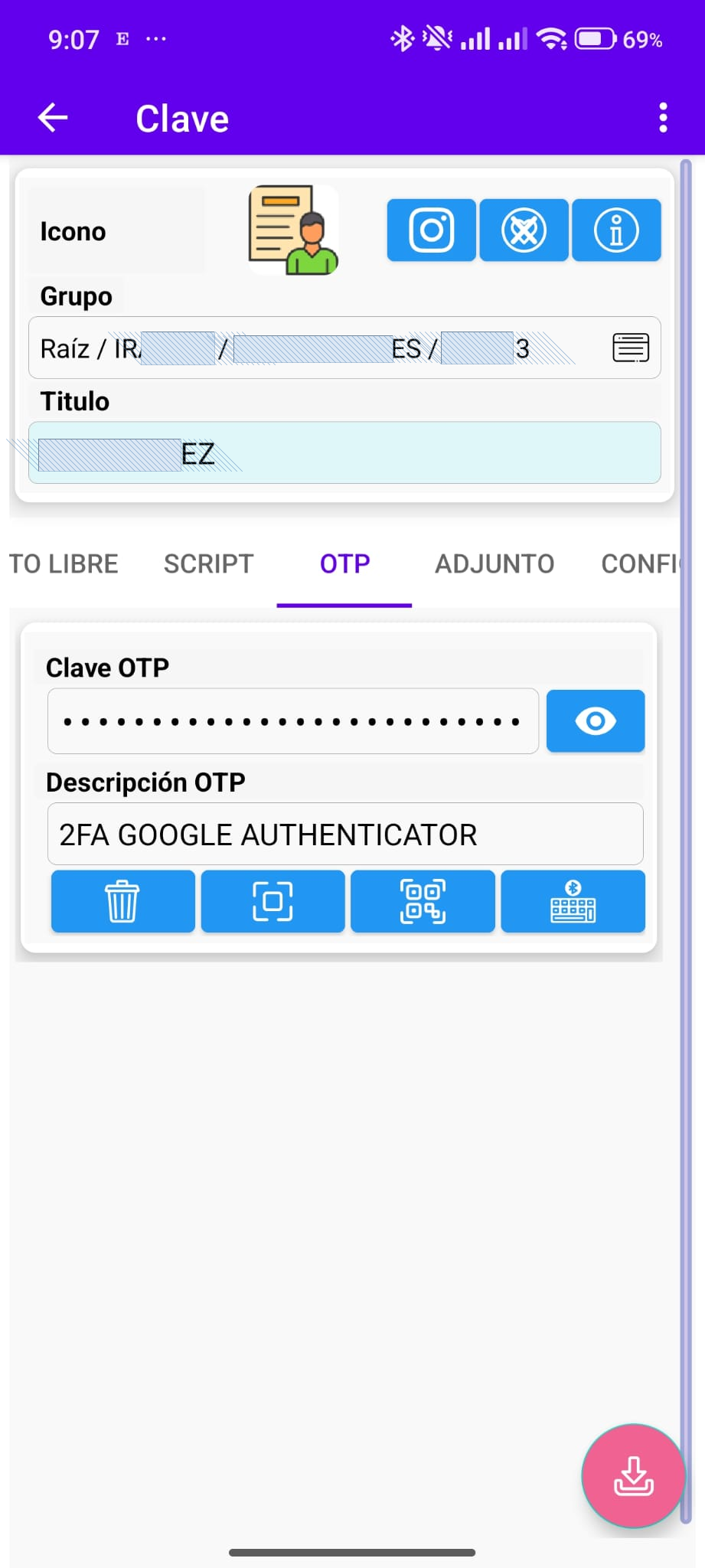
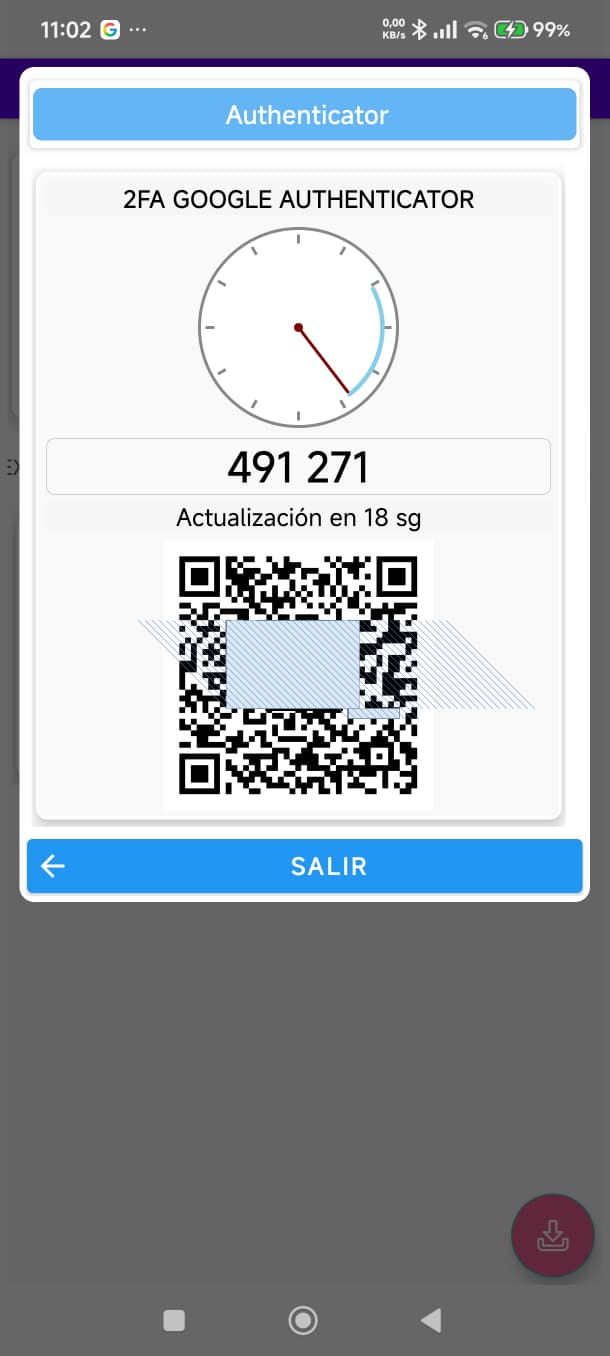
TOTP and HID sequences on the same record, without another app or memorising codes.
The dongle types on Windows, Linux, macOS, Android, iOS and other USB-keyboard hosts. The app that drives it is Android.
Clear expectations
IrKeys is not a cloud secrets manager and not a FIDO2/WebAuthn system. It is a local HID injector, with an Android app and optional offline administration.
Your secrets live on your devices. No mandatory account or cloud sync. You buy the dongle and Manager.
We do not replace passkeys or FIDO authenticators. We type username, password, OTP and scripts as a USB keyboard.
Revoking the link stops future deliveries; rotating the password at the destination is the admin’s job.
On top of Bluetooth, credentials travel encrypted (AES-GCM). The dongle carries an Iranon-signed identity.
What is IrKeys?
What you buy is the dongle (and IrKeys Manager if you administer others). The Android app is free: the interface to pick a credential and send it to the dongle over Bluetooth with additional encryption.
You can use the app alone as a personal vault. Productivity jumps with the dongle: it types as a USB keyboard on Windows, Linux, macOS, Android, iOS and other HID hosts. If a lead must create and distribute .irkeys packages locally, add IrKeys Manager. Everything stays on your devices — no cloud and no Internet for day-to-day use.
Below: the system diagram and detail for each part.
Encrypted personal vault. Can be used alone, with no hardware or administration PC.
Connects the app to the target workstation keyboard. Adds speed and security when typing.
IT tool to create secrets, link mobiles and distribute encrypted packages with policies.
Component 1
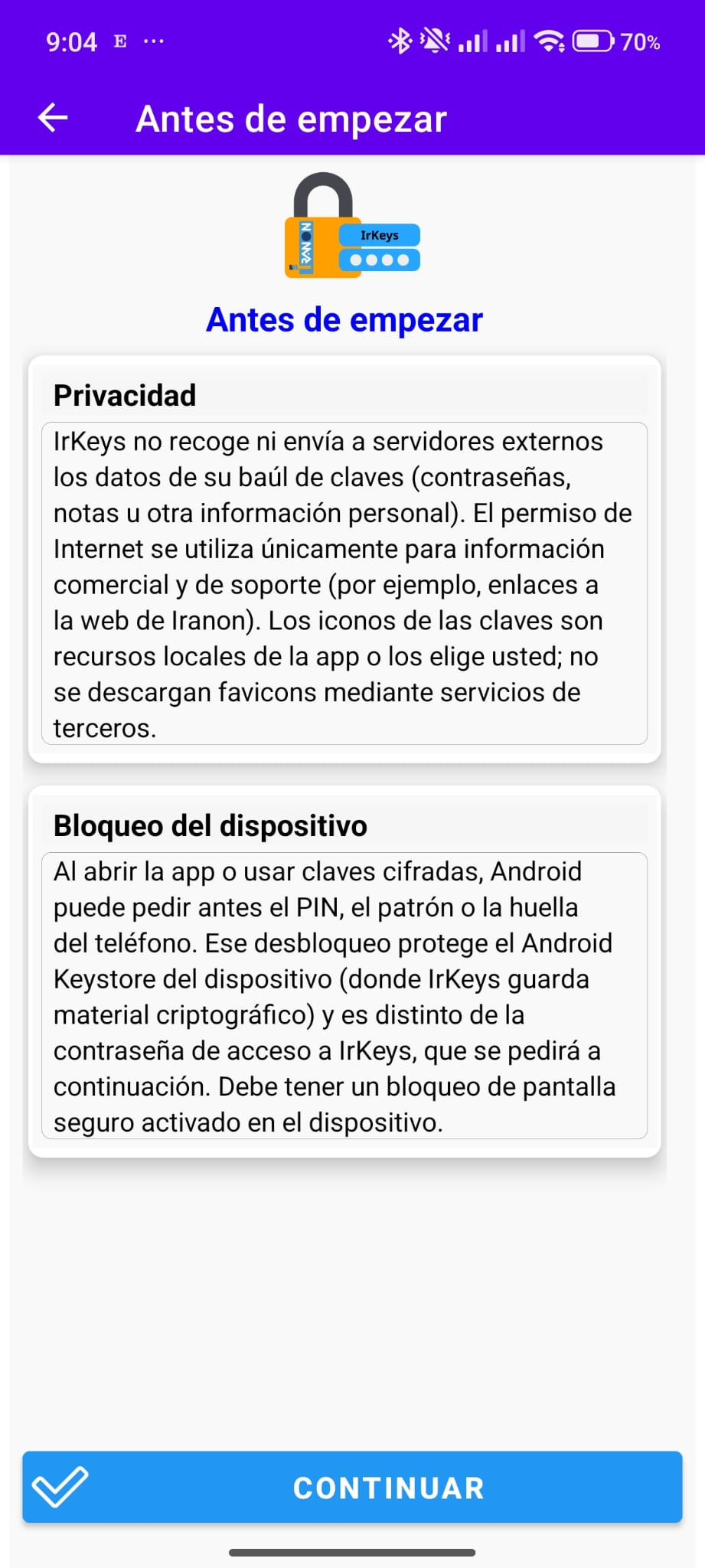
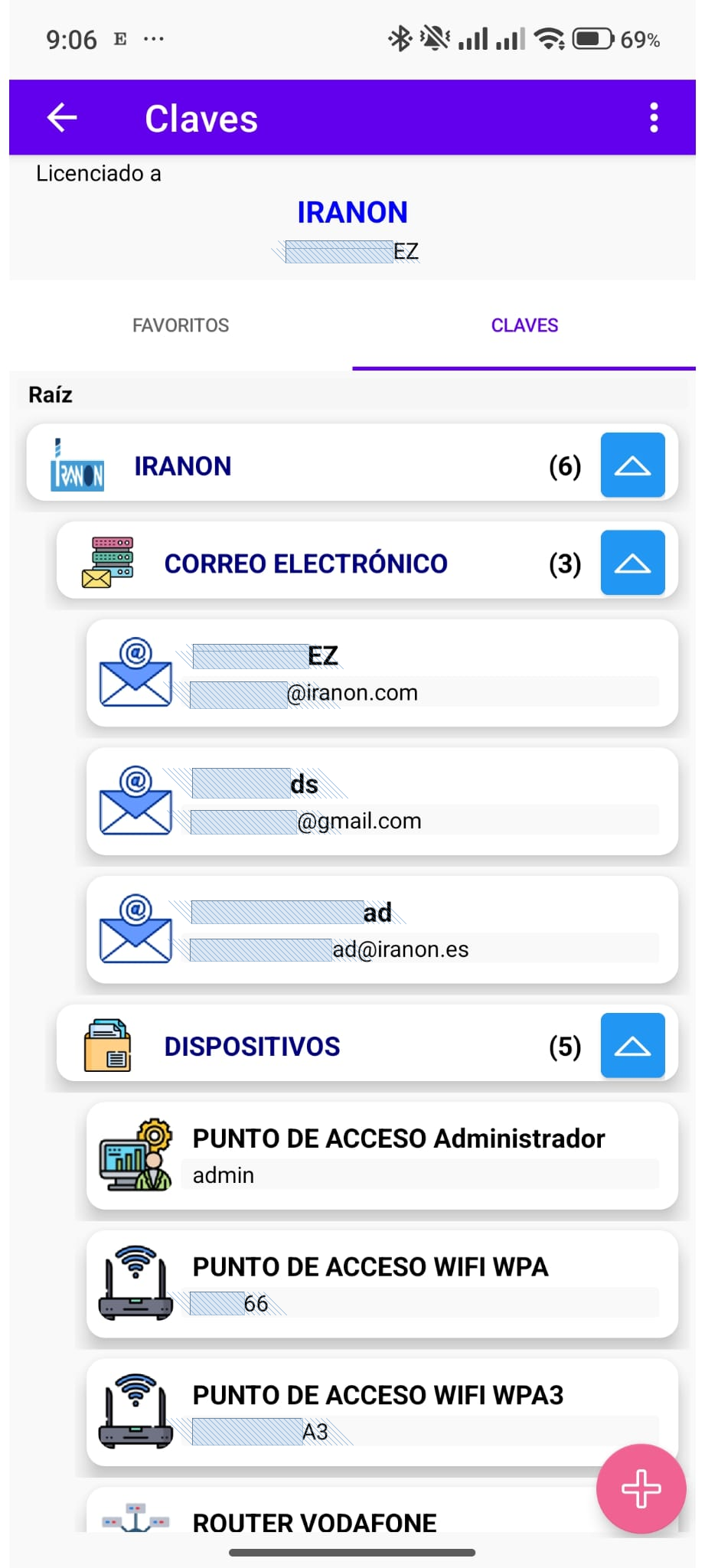
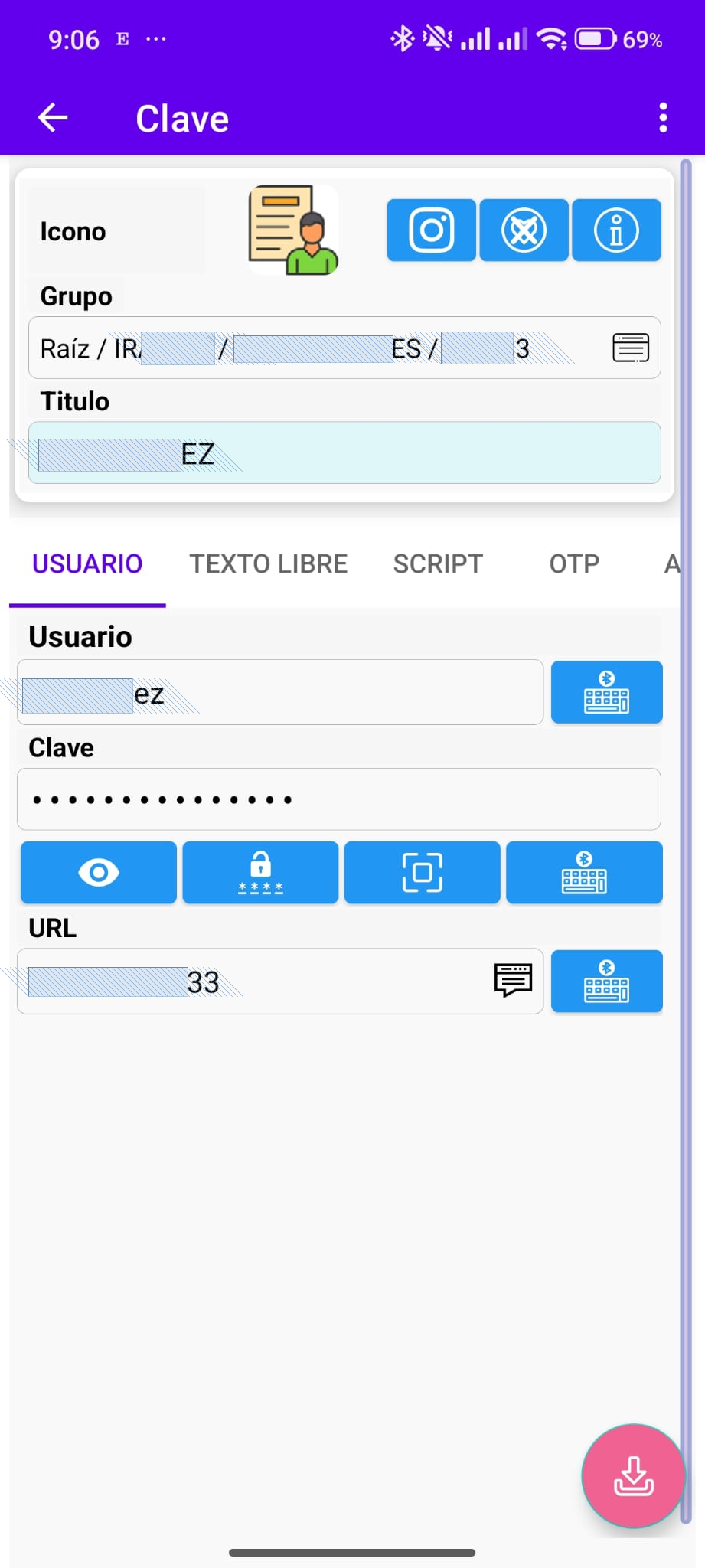
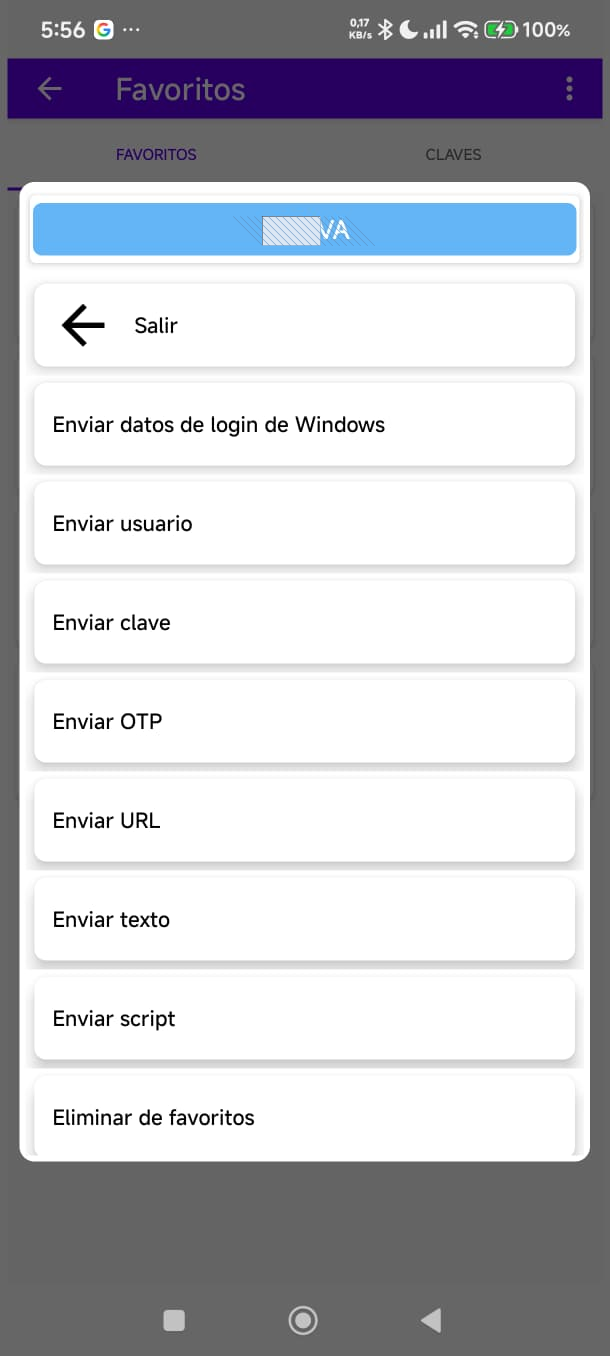
Free interface for the dongle: pick username, password, OTP or script and send it to the PC. You can also use it alone as a local personal vault (groups, TOTP, favourites), with no subscription or cloud account.
Home and secure access
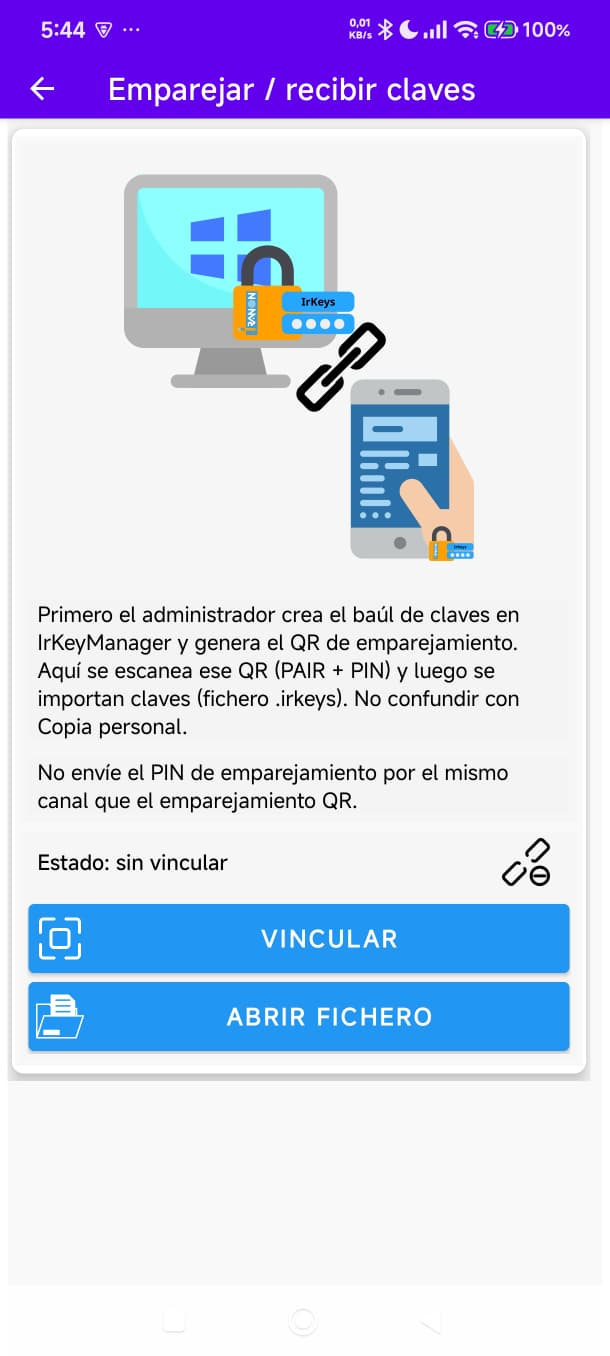
1 / 7
Tap the image to enlarge
Component 2
A secure USB communication device that brings the IrKeys app to life at the workstation. It communicates encrypted with the phone and acts as a standard USB keyboard (HID): it enters on the computer, server or even another phone any data stored in the app.
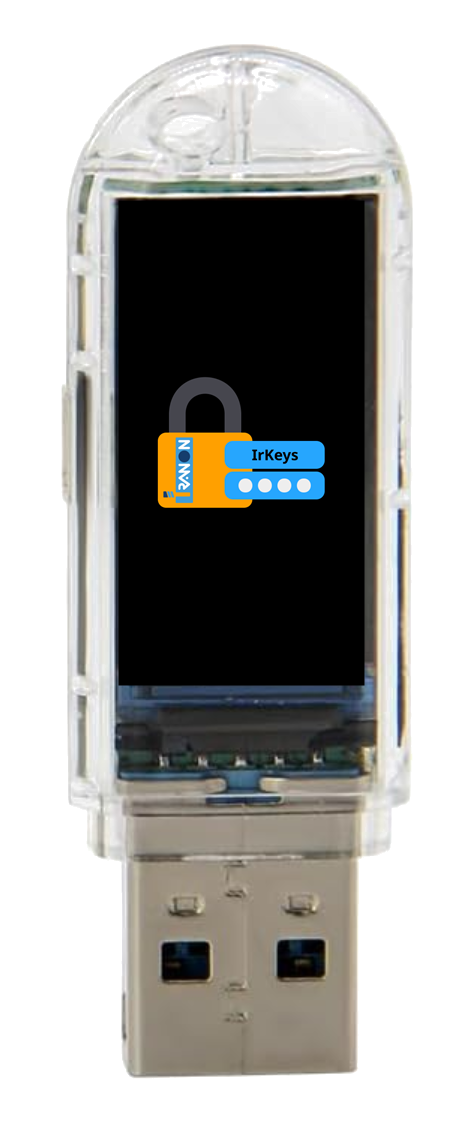
IrKeys dongle: USB device with display, built-in HID keyboard and Bluetooth communication with the mobile app.
Component 3
Local tool for the person in charge (no cloud): create credentials, pair phones and issue encrypted .irkeys packages. Suited to SMEs that want to distribute secrets without building an IAM.
.irkeys files by email, chat or USB; only the linked phone opens them. At emission you can set the file expiry (import window)..irkeys → (4) the user sends to the PC with the dongle.
Open or create encrypted database
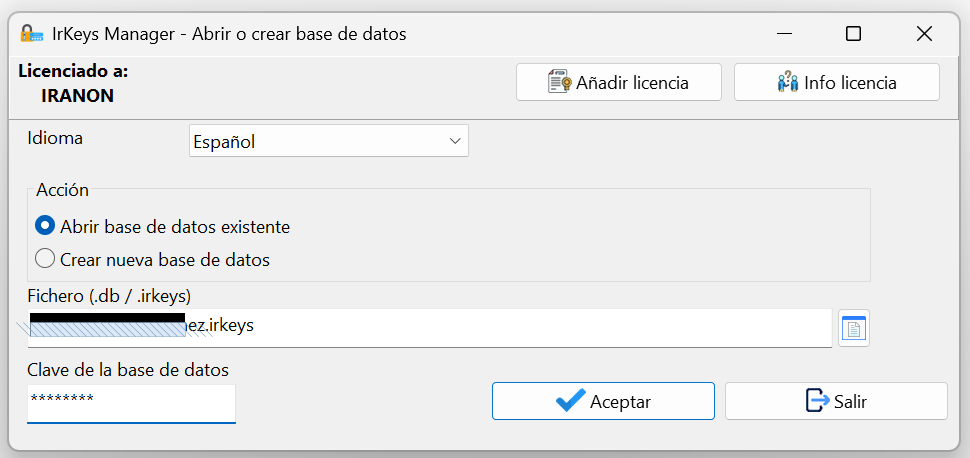
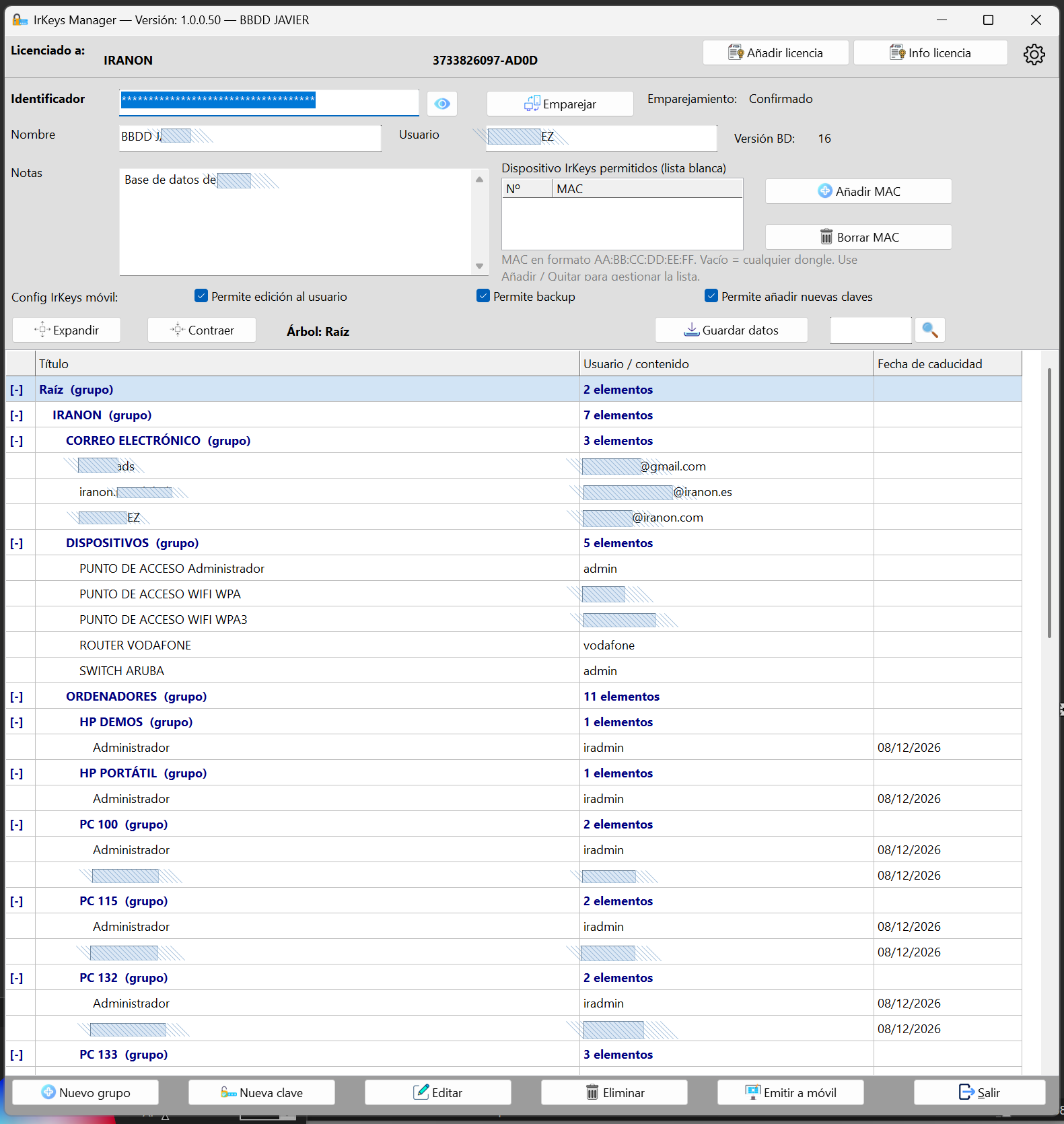
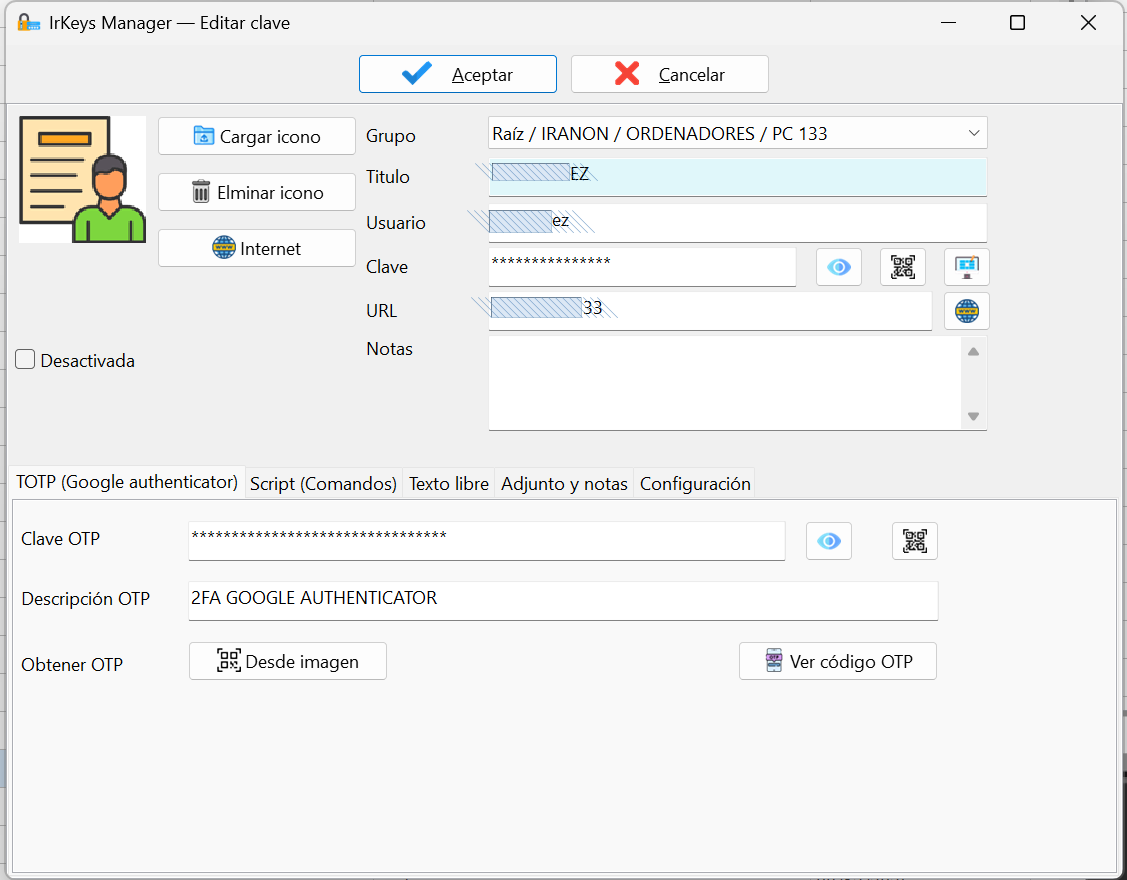
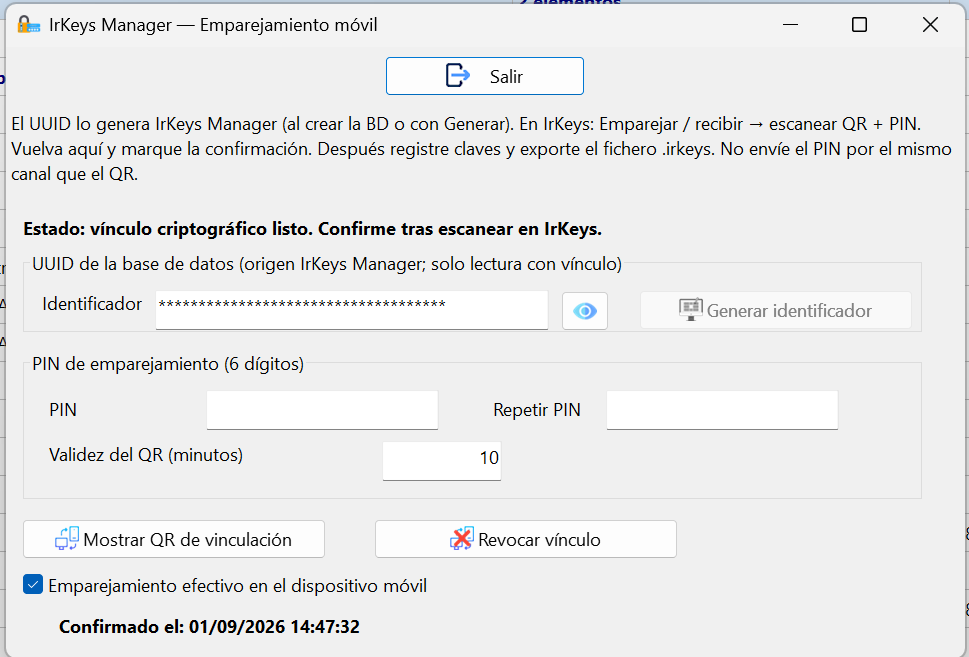
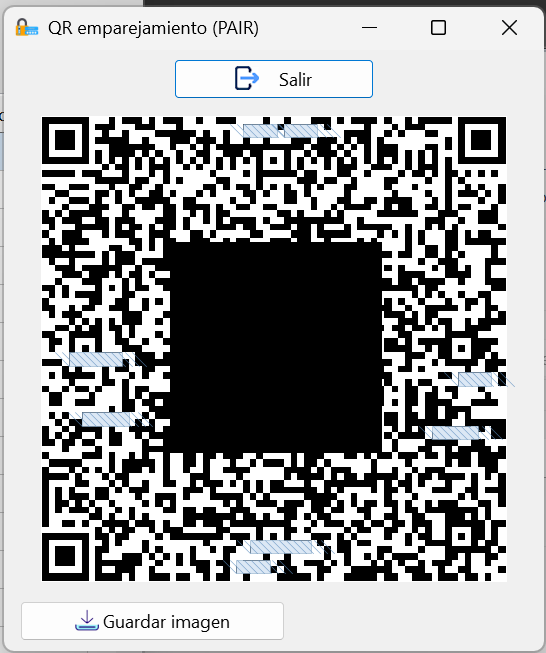
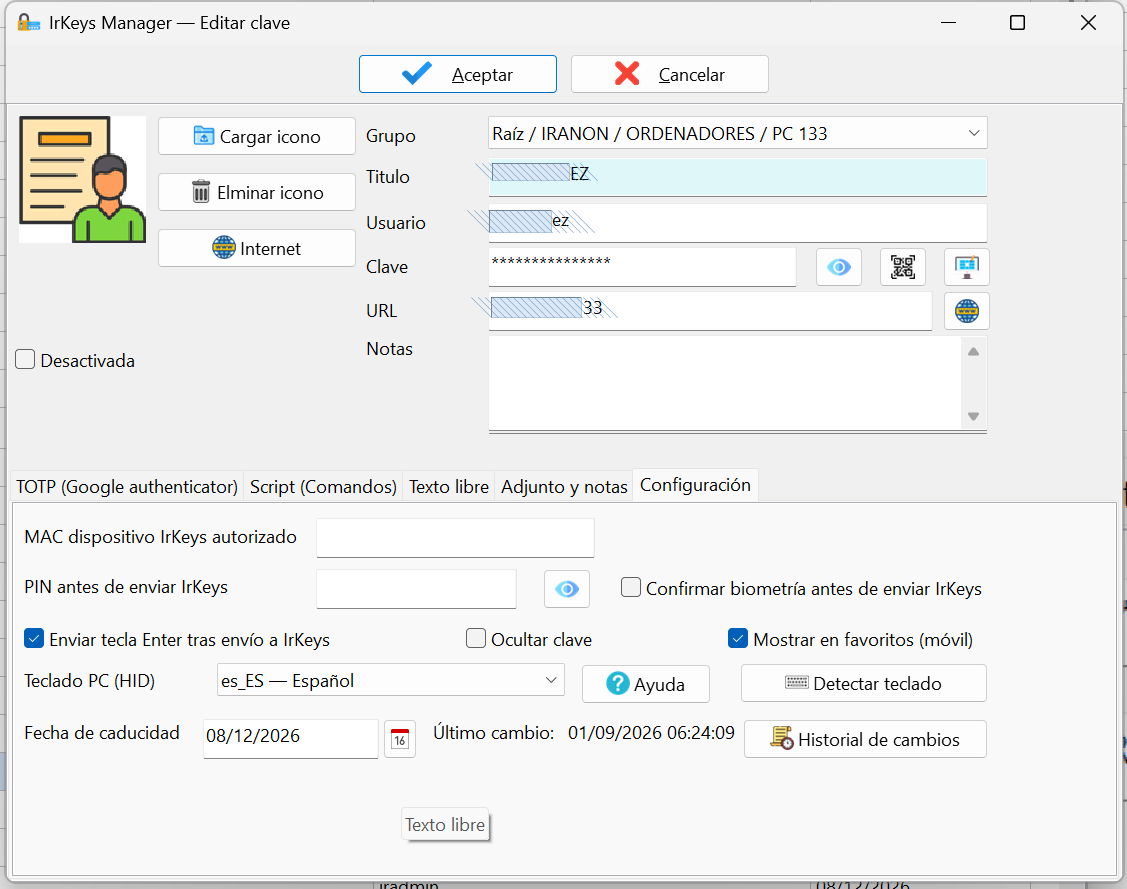
1 / 6
Tap the image to enlarge
How it works together
When all three components work together, the flow is easy to follow even for those unfamiliar with the technology. The target PC needs neither Bluetooth nor installed software: the dongle behaves as a standard USB keyboard.
Benefits
Where everyday access is still username and password, IrKeys lets you keep secrets strong, rotate them and use them simply: the phone chooses, the dongle types — no memorising and no paste.
The dongle types them for the user. You can require complexity and rotate them without making daily access harder.
Select on the phone; the USB keyboard enters the value in the active field, without leaving the secret on the clipboard.
They do not live in a third-party cloud. Day-to-day use of app + dongle needs no Internet.
TOTP and HID sequences on the same record for the software you already use with username and password.
With Manager, encrypted .irkeys packages to the paired phone — without deploying a cloud stack.
The app only works with hardware signed by Iranon. Phone↔dongle link encrypted (AES-GCM).
Security
The phone↔dongle link adds its own encryption (AES-GCM) on top of Bluetooth, with pairing and anti-replay, suited to SME use.
Manager↔phone (QR + PIN with expiry) and phone↔dongle with confirmation. Per-pair keys.
AES-256-GCM and anti-replay between app and dongle, on top of Bluetooth. Credentials do not travel in clear text.
The device is signed by Iranon. For security, the app rejects hardware not signed by Iranon.
The app blocks screenshots in production to protect credentials and TOTP codes.
FAQ
No. IrKeys for Android is free. You purchase the dongle and, if you administer, an IrKeys Manager licence.
No. Your secrets stay on your devices. IrKeys types credentials on the PC via a USB dongle, locally, with no mandatory cloud.
No. IrKeys is not a FIDO2/WebAuthn system. Where software still uses username, password and OTP, it types those credentials over USB simply.
As a USB keyboard it works with Windows, Linux, macOS, Android, iOS and other HID hosts. The app that drives it is Android.
If you use the app on your own (no Manager), yes — the vault is yours. With IrKeys Manager, the administrator can allow or deny personal backup on the phone.
Future emissions and packages encrypted with the old link stop working for import. It does not change the password on the server. After a revocation you must update the corresponding keys and secrets in IrKeys Manager.
No. The dongle is a USB keyboard and day-to-day use needs no Internet. Network is only needed if you choose to send the .irkeys file by email or similar.
Try before you buy
Install the mobile app and the IrKeys Manager demo to evaluate the full ecosystem before purchasing dongles or licences. No mandatory registration or cloud.
Free encrypted vault with TOTP, favourites and biometrics. Ideal for trying the user flow before deploying dongles in your organisation.
Download on Google Play Download APK (outside Play Store) App manualPublic listing on Google Play: com.iranon.keys. The sideload APK remains available if your organisation requires it.
Fully operational demo for 30 days. Lets you create keys, pair phones and issue .irkeys files with a maximum of 5 keys.
After evaluation, purchase the licence for unlimited use on your administration workstation.
Pricing
Start free with the mobile app. Add dongles and Manager licences according to your organisation's needs.
| Product | Description | Price |
|---|---|---|
| IrKeys (mobile app) | Encrypted vault, TOTP, biometrics, favourites. No credential limit on the device. | Free |
| IrKeys dongle | Official USB HID device. Automatic credential entry on the PC. Device provisioned by Iranon. | 39 € + VAT |
| IrKeys Manager (demo) | 30-day evaluation, max. 5 keys, fully operational | Free |
| IrKeys Manager | Licence per administration PC (Windows). Unlimited management of dongles and phones from that workstation. Technical support included. | 69 € per PC |
* Each administration workstation requires its own IrKeys Manager licence. From a licensed PC you can manage all the dongles and phones your organisation needs. Prices exclude VAT unless otherwise stated. Ask about commercial terms for multi-site deployments.
Contact our sales team. We will advise you on deployment for your organisation.